
$25/month → $2.40/month. Your database stays exactly where it is.
Lovable is a great place to build an app. It is an expensive place to keep one running. Lovable Pro is about $25/month, and most of that is hosting a site that is, underneath, a plain Vite + React build — the kind of thing that costs a couple of dollars a month to serve.
This guide moves the hosting to Hostwares and leaves everything else alone. It takes about five minutes and you do not touch your database.
What you need before you start
- Your Lovable project connected to GitHub (Lovable pushes your code there for you — if you have not connected it yet, do that first in Lovable)
- Your Supabase URL and publishable key — we show you where to find them below
- A Hostwares account
That is all. No terminal, no config files, no Docker.
Step 1 — Connect the repo
Go to Stack Deploy in your dashboard and connect GitHub, then pick the repository Lovable created for you. You can also paste the repository URL directly.
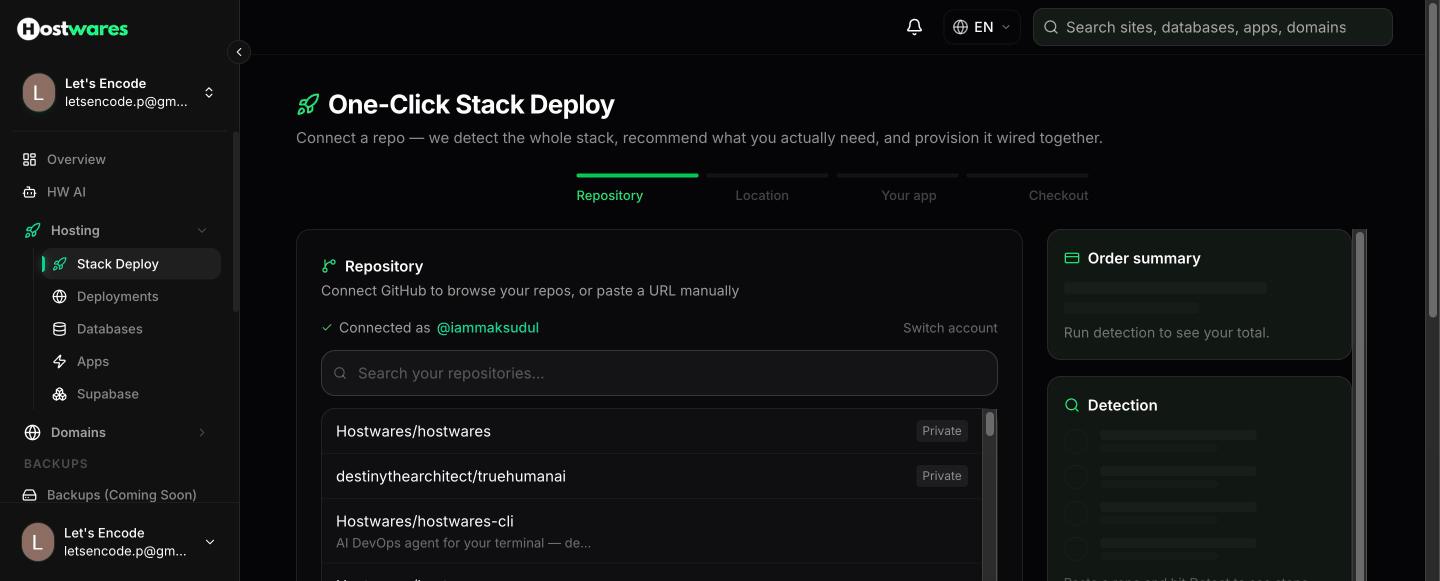
Press Detect stack.
Step 2 — We read the repo and tell you what it needs
This is the part that usually takes a developer an afternoon. We read the repository and work out what your app actually is.
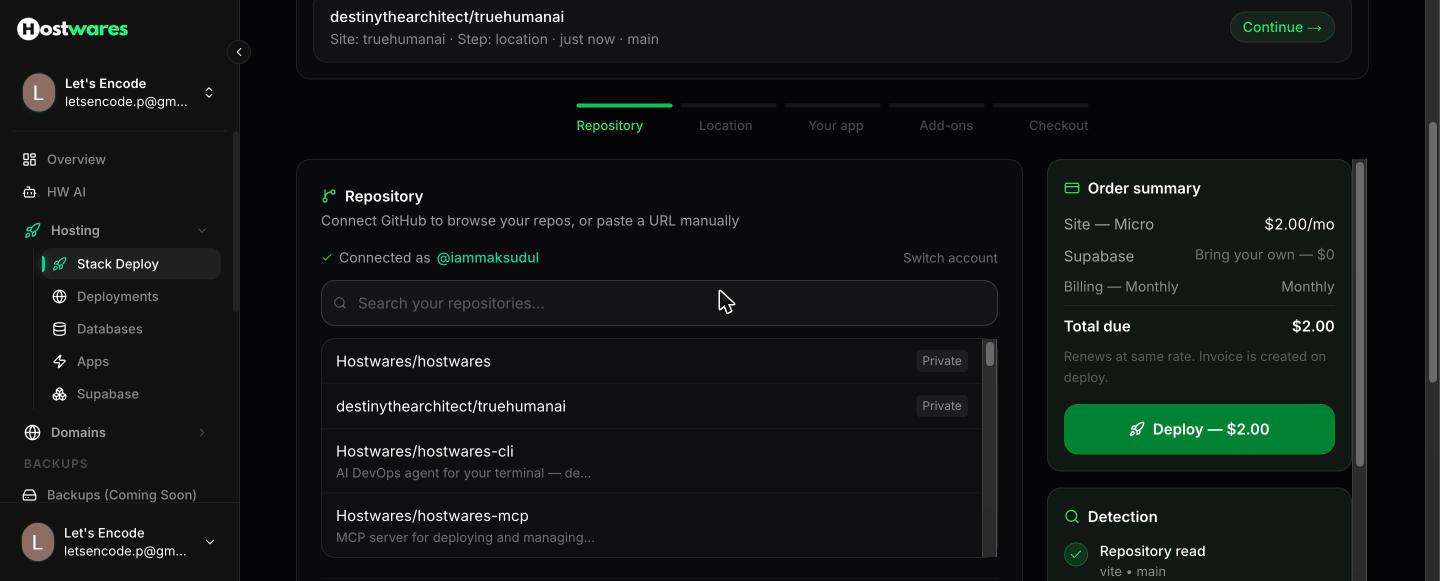
For a Lovable app you will see:
- Framework: vite — the build Lovable produces
- Supabase detected — from the libraries in your code, not a guess
- The exact environment variables your app reads, by name
Notice the order summary on the right already says Site — Micro $2.00/mo and Supabase — Bring your own — $0. That is the whole bill.
Step 3 — Pick where it runs
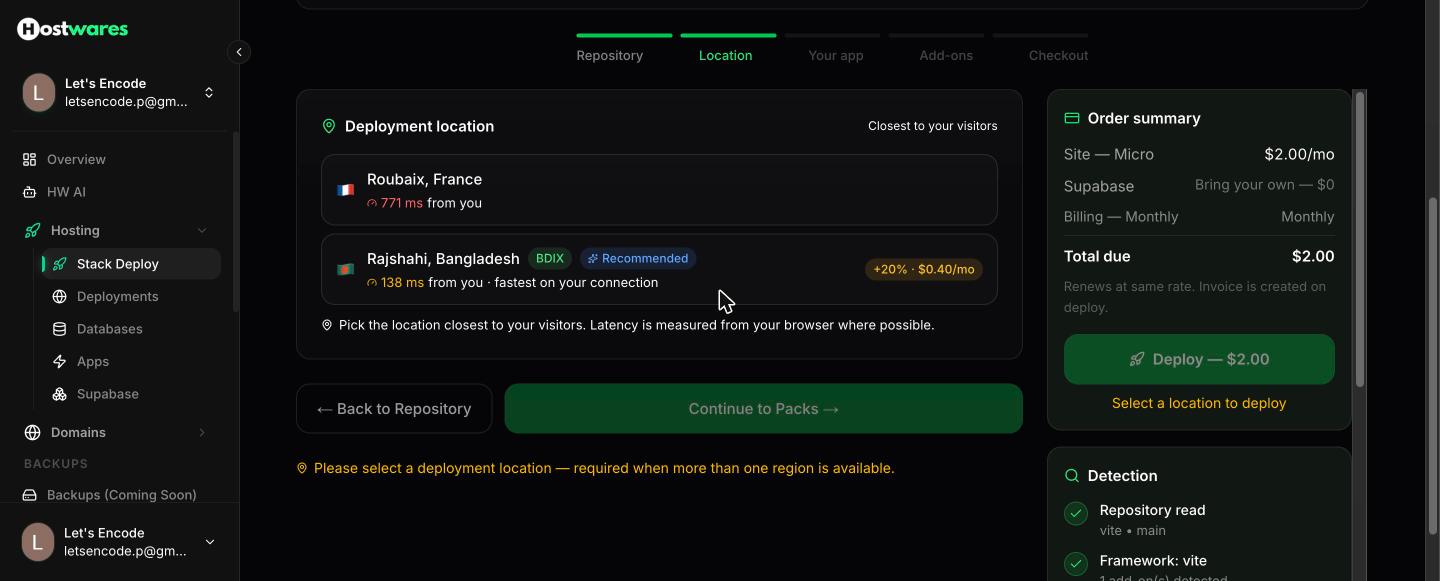
Two things matter here.
Speed. The number next to each location is measured from *your* browser, not ours. In the screenshot Dhaka answers in 138 ms and France in 771 ms. If your visitors are in Bangladesh, Dhaka is roughly five times closer to them.
Price. Dhaka carries a 20% regional surcharge — 40 cents a month on this plan. It is shown on the card before you choose, and it is included in every price you see afterwards.
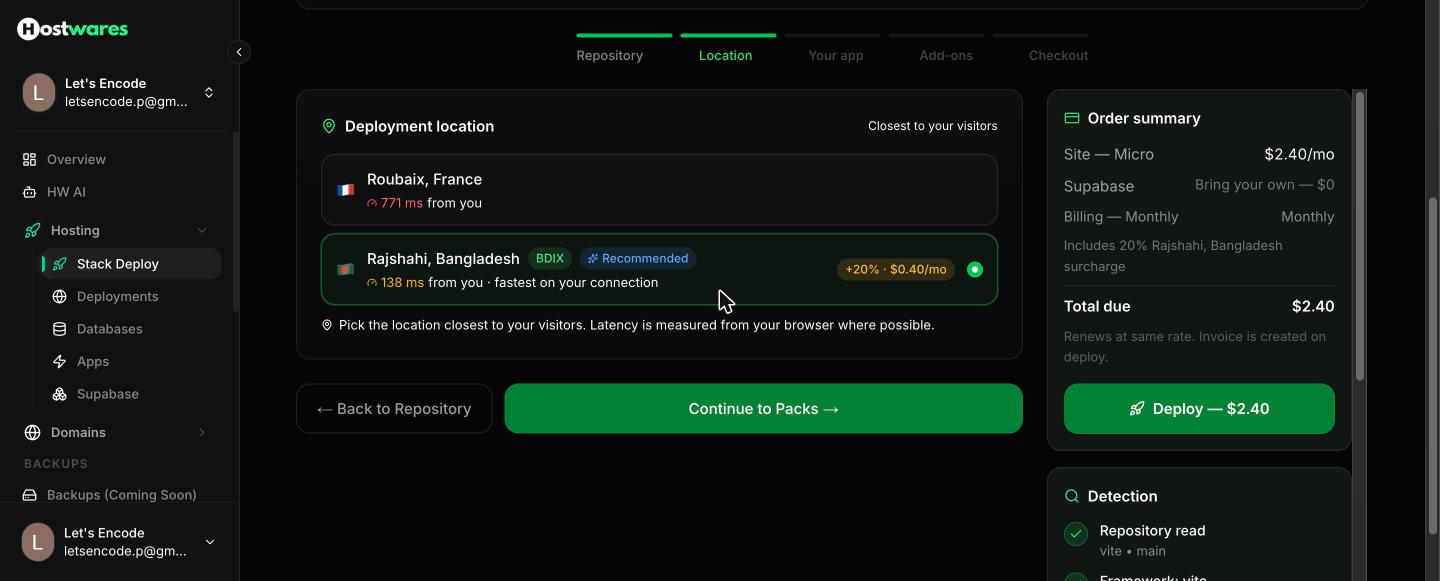
Pick Dhaka if your users are here. Pick France if they are not.
Step 4 — Read what we found, in plain English
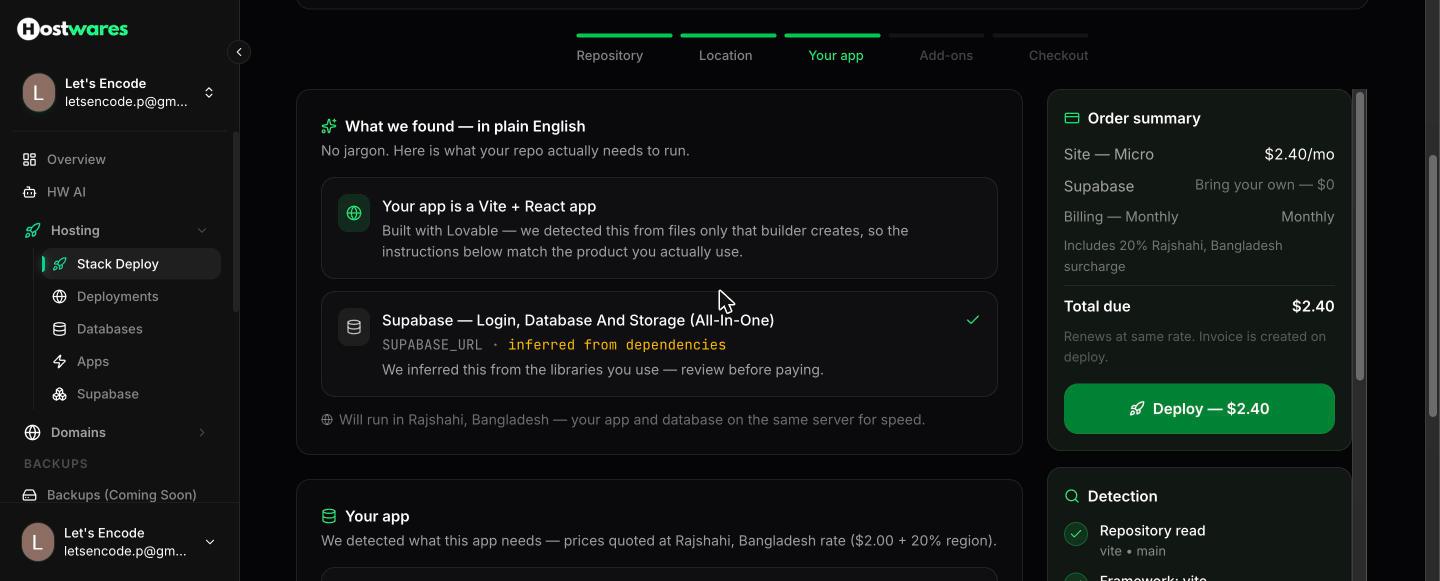
No jargon, and nothing hidden until checkout:
Your app is a Vite + React app Built with Lovable — we detected this from files only that builder creates, so the instructions below match the product you actually use. Supabase — Login, Database And Storage (All-In-One)
SUPABASE_URL· inferred from dependencies
We also pick the cheapest pack that will actually run your app. For a Lovable build that is Micro — 256 MB RAM, $2.00/month before the regional surcharge.
Step 5 — Keep your existing Supabase
This is the step that saves you the most money, and it is selected for you by default.
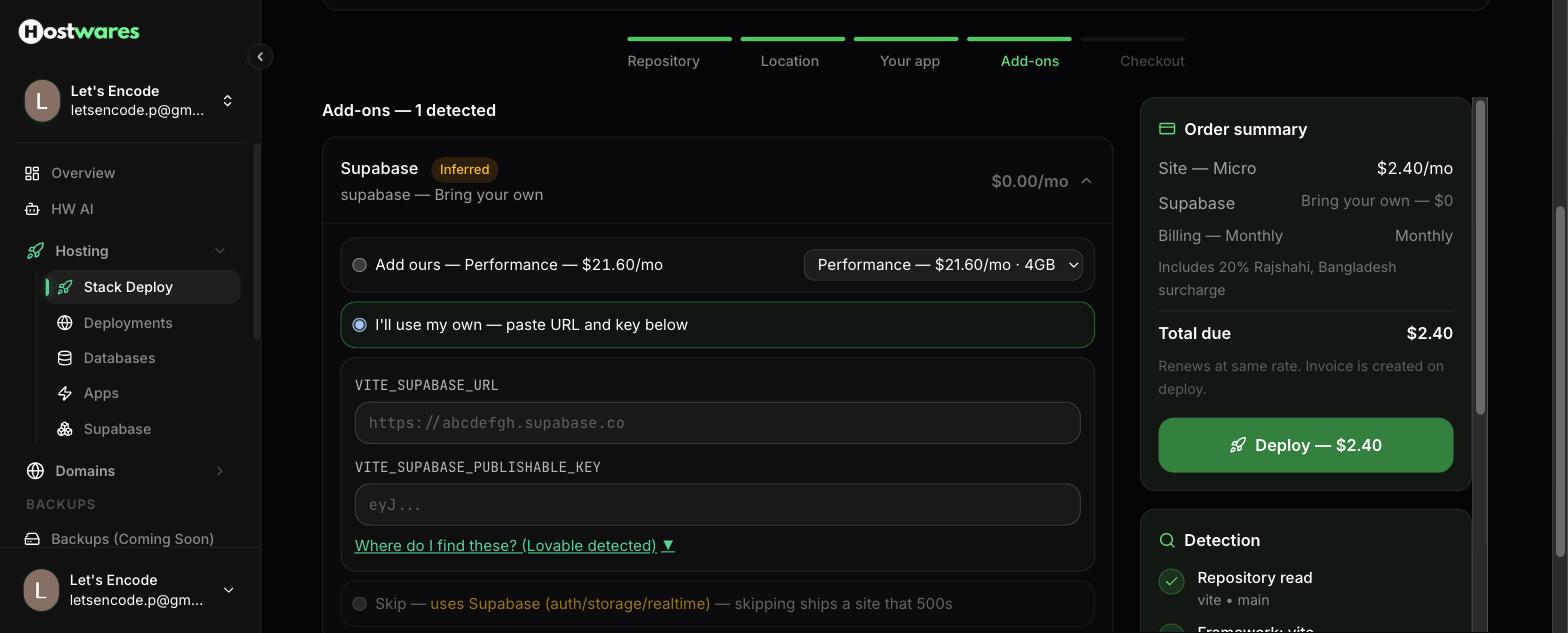
"I'll use my own — paste URL and key below" means your database, your users, your files and your logins all stay exactly where they are today. Nothing is migrated. Nothing can be lost. Your Supabase free tier keeps working.
You paste two values:
VITE_SUPABASE_URL— looks likehttps://abcdefgh.supabase.coVITE_SUPABASE_PUBLISHABLE_KEY— a long string starting witheyJ
Where to find them
In your Supabase dashboard: Project Settings → API. Copy the Project URL and the anon / public key.
Use the anon key, not the service_role key. The service_role key bypasses every security rule you have set. It belongs on a server, never in a browser app. If you paste it here we will stop you — but it is worth knowing why.
There is a "Where do I find these? (Lovable detected)" link right under the fields that shows the same thing with pictures.
Step 6 — See the bill before you pay
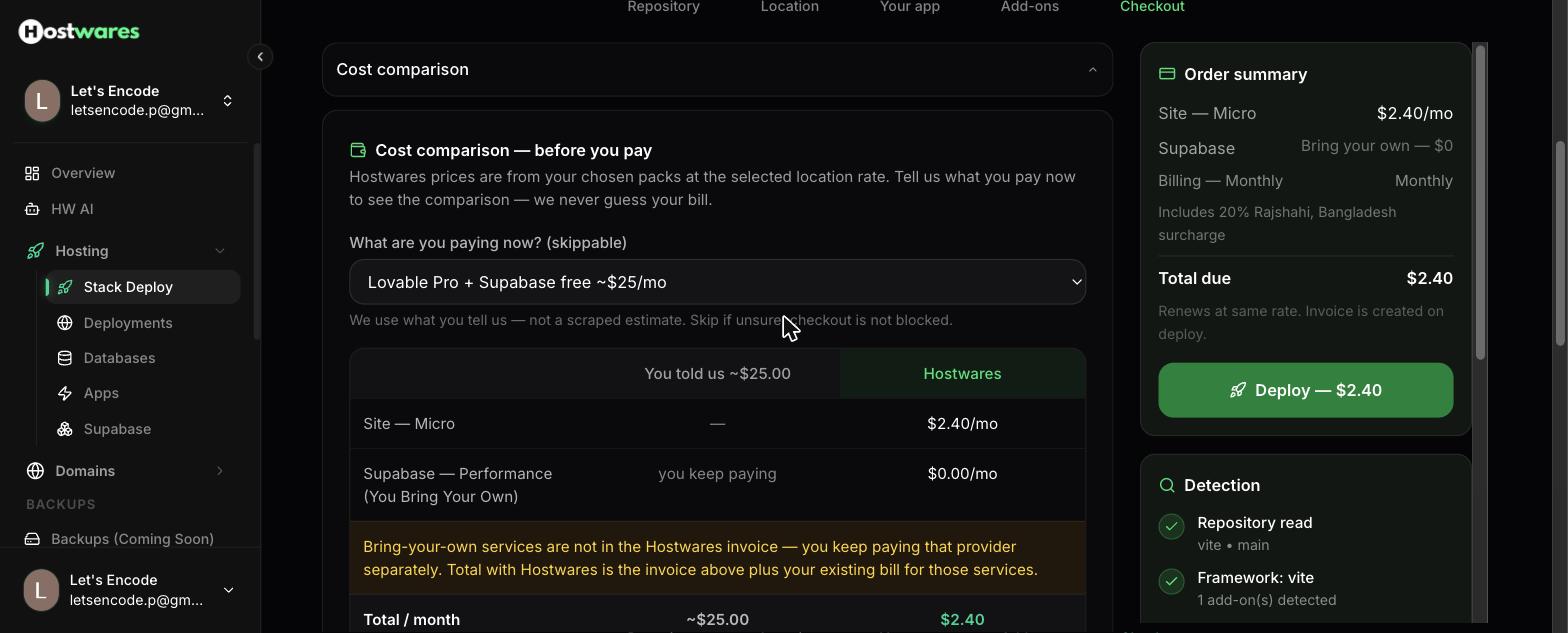
Tell us what you pay today and we put the two side by side. We do not guess or scrape — the number in the left column is the one you typed.
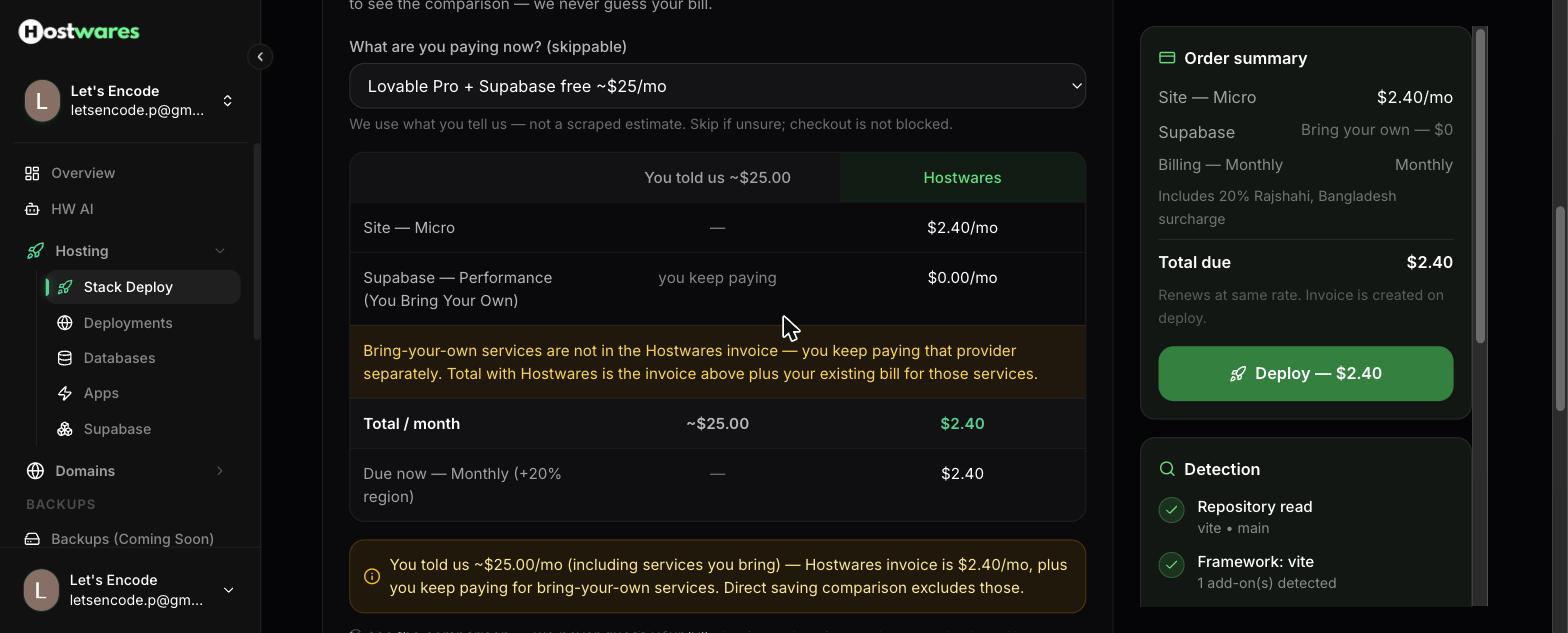
| You pay now | Hostwares | |
|---|---|---|
| Site — Micro | — | $2.40/mo |
| Supabase (you bring your own) | you keep paying | $0.00/mo |
| Total / month | ~$25.00 | $2.40 |
We are also explicit about what that comparison does *not* include: services you bring yourself are not on the Hostwares invoice, and you keep paying those providers directly. Your Supabase free tier costs nothing, so for most Lovable apps the real number is the one above.
Choosing a yearly term takes 15% off — $24.48 a year in Dhaka, $20.40 a year in France.
Step 7 — Pay, and you are live
Press Deploy, review the confirmation, and pay the invoice with bKash, Nagad, Rocket, a card, or PayPal.
Your app goes live at your-name.hostwares.app with HTTPS already working.
To put your own domain on it, open the site and go to the Domain tab.
What this costs, all in
| Dhaka (BDIX) | France | |
|---|---|---|
| Monthly | $2.40 | $2.00 |
| Yearly (15% off) | $24.48 | $20.40 |
| Compared to Lovable Pro | ~$25/mo | ~$25/mo |
Your Supabase bill does not change, because your Supabase does not move.
Questions people ask
Do I lose my data? No. Nothing moves. We host the app; your database stays in your own Supabase project, with your users and files untouched.
Can I keep editing in Lovable? Yes. Lovable pushes to GitHub, and you redeploy from GitHub. Your workflow does not change.
What if I want you to host Supabase too? We can, but be honest with yourself about whether you need it. Supabase needs at least 4 GB of RAM, which is our Performance pack at $21.60/month in Dhaka. If your Supabase free tier is working, keep it.
What if my app is not from Lovable? The same flow reads Bolt, v0, Replit, Base44, Cursor and ordinary hand-written repositories. It detects the framework and the services either way.
Something went wrong. Email [email protected] with your site name. Support messages are free.